
Viber Chat Widget for Website
Add Viber to your website as a communication channel, making it easy for visitors to connect.
Trusted by Thousands of Businesses And Global Brands Worldwide








Create Your Widget for Viber Chat – 100% Free
Quickly integrate a Viber Chat widget into any site. Personalize the design, connect your account, and launch with ease.

Why Choose Upgadeify’s Viber Chat Widget?

Readily Available for Contact
Give your audience a quick and convenient way to send questions through your website.

Increasing Sales Through Expert Consulting
Send targeted advice and recommendations to turn more visitors into buyers.

Taking Client Service To The Next Level
Deliver greater client satisfaction through quicker and more focused connections.
Be a Part of Our Thousands of Happy Customers’ List
Join the growing Upgadeify family and boost your online reputation today.
websites support
hours of development invested
to start using the widget
customer satisfaction rate
Why Go with Upgadeify ’s Viber Widget?
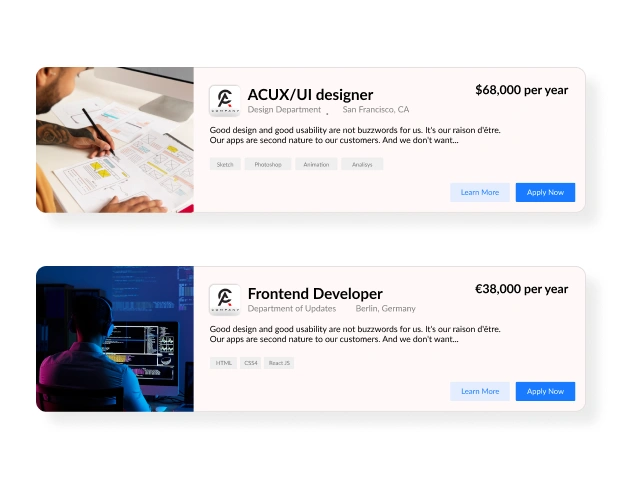
With Upgadeify Viber Chat, you’ll have a handy communication tool that makes it easy for users to reach out when they need to. Visitors can message you instantly through a familiar, user-friendly chat window. While you stay connected and respond on the go, wherever you are.

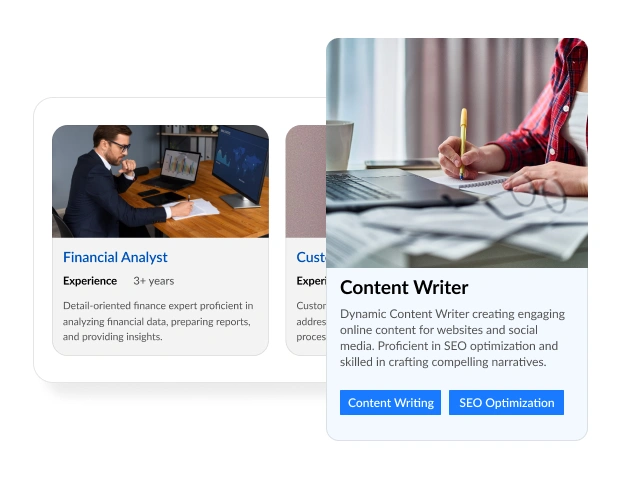
Offer more by talking directly to people on your website. Get every visitor talking and convince more people to buy from your site. Upgadeify Viber Chat uses special "triggers" that make a chat window pop up for each person. This happens after they've been on your website for a bit, or when they're about to leave. You can set the chat to show up in the right spot, at the right time, and only for certain people.
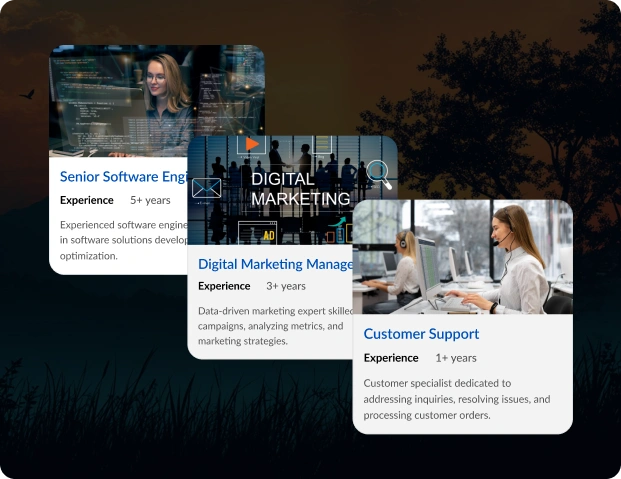
Our chat tool has cool ways to make it look and work just right for your business. You can pick a chat bubble icon from our library, add important text, put your company logo, write a friendly welcome message to get people talking, and show new message notifications. You can offer customer help, answer questions, assist with bookings, or take orders – all using just one chat!

Real Examples
Explore how real websites use the Viber Chat widget to drive engagement and conversions.

Live Demo
Test all features of the Viber Chat widget in our live demo—no registration, no coding, no cost.
Why Choose Upgadeify Over Other Chat Widgets?
With Upgadeify, you get constant updates, easy customization, and dedicated support. Our Viber Chat widget for the website is built for performance, user experience, and business growth. Whether you're a small business or a large enterprise, Upgadeify has the tools to help you connect instantly and convert better.

Effortless Visual Editor
Forget coding or hiring a developer, our intuitive live editor lets you build, plus install your widget in just a few clicks, saving you both time & money.
Read More
Mobile-Ready & Fully Responsive
All widgets are designed to look and work great on any device, whether it’s a phone, tablet, or desktop, delivering a consistent experience to all your visitors.
Read More
Expert Support from the Upgadeify Team
Get premium assistance along with free setup guidance from our dedicated team, making sure a smooth as well as a hassle-free experience from the start to end.
Read More
Reliable Upgadeify Cloud Platform
Enjoy fast-loading, automatically updated widgets with built-in bug fixes, optimised for performance, no matter where your users are.
Read MoreFAQs
A Viber Chat widget is a tool that integrates Viber’s messaging platform into your website, allowing visitors to contact you instantly through a familiar chat interface. The Upgadeify Viber Chat widget enhances customer engagement by providing quick support, personalized product recommendations, and seamless communication, which boosts client satisfaction, drives sales, and fosters business growth.
To get the installation code for the Upgadeify Viber Chat widget, log in to the Upgadeify platform and navigate to the widget editor. Customize the widget’s appearance, triggers, and settings to match your needs. Once configured, the editor will generate a unique embed code. Copy this code for integration into your website’s HTML or CMS.
To add the Upgadeify Viber Chat widget to your website:
- Sign in to the Upgadeify platform and select the Viber Chat widget.
- Connect your Viber account or bot.
- Customize the widget’s design, triggers (e.g., time-based or exit-intent), and placement.
- Copy the embed code from the editor.
- Paste the code into your website’s HTML or CMS backend in the desired section.
- Save and publish the changes to make the widget live.
Yes, the Upgadeify Viber Chat widget is suitable for most major CMS platforms and website builders, including WordPress, Wix, Squarespace, Shopify, Joomla, Weebly, and more. Its cloud-based, no-code design ensures seamless integration by pasting the embed code into your site’s HTML or template. It supports automatic updates and fast loading speeds across 99.9% of platforms.
To show the Viber Chat widget in a specific content zone:
- In the Upgadeify widget editor, select the “embed chat window” or “embed bubble” placement option.
- Customize the widget’s design and triggers to suit the content area.
- Copy the embed code from the editor.
- Paste the code into the specific content zone of your website’s CMS or HTML editor.
- Save and publish to display the chat window in the chosen area. For precise placement, you can target specific page sections using your CMS’s editor or a plugin like Elementor for WordPress.
Yes, you can create a floating chat icon with the Upgadeify Viber Chat widget. In the editor, select the “floating bubble” placement option. Choose a chat bubble icon from the library, add your company logo, and customize the welcome message or notifications. You can set the bubble to be fixed or movable (e.g., aligned left, right, or center) and ensure it remains visible as users scroll, enhancing accessibility without obstructing content.
For optimal impact, display the Viber Chat widget as a floating bubble in the bottom-right corner of your website, a common placement for accessibility and visibility. Alternatively, embed it on high-traffic pages like the homepage, product pages, or support sections to target users needing assistance. Use triggers like exit-intent or time-on-page to prompt the chat window at strategic moments, increasing engagement. Customize the widget with your brand’s logo, colors, and a welcoming message to align with your site’s aesthetic. Ensure it’s mobile-friendly for seamless performance across devices, and consider targeting specific audiences to maximize conversions.
Join Over 2 Million Users Using Upgadeify Widgets
Explore our 80+ feature-rich tools designed to upgrade your website. No credit card needed. Sign up for free today!

More Widgets
Trending

Facebook Feed
Display posts, photos and videos from Facebook on your website
Start: July 1, 2023
Last Updated: April 10, 2023
Trending

Instagram Feed
Display posts, photos and videos from Facebook on your website
Start: July 1, 2023
Last Updated: April 10, 2023
Trending

Google Feed
Display posts, photos and videos from Facebook on your website
Start: July 1, 2023
Last Updated: April 10, 2023